.svg)
Process for submitting a customer to customer success for assistance/ onboarding support
The new procedure that we will be enacting, in order to better streamline our customer success process is as follows;
Creating a Ticket on Hubspot
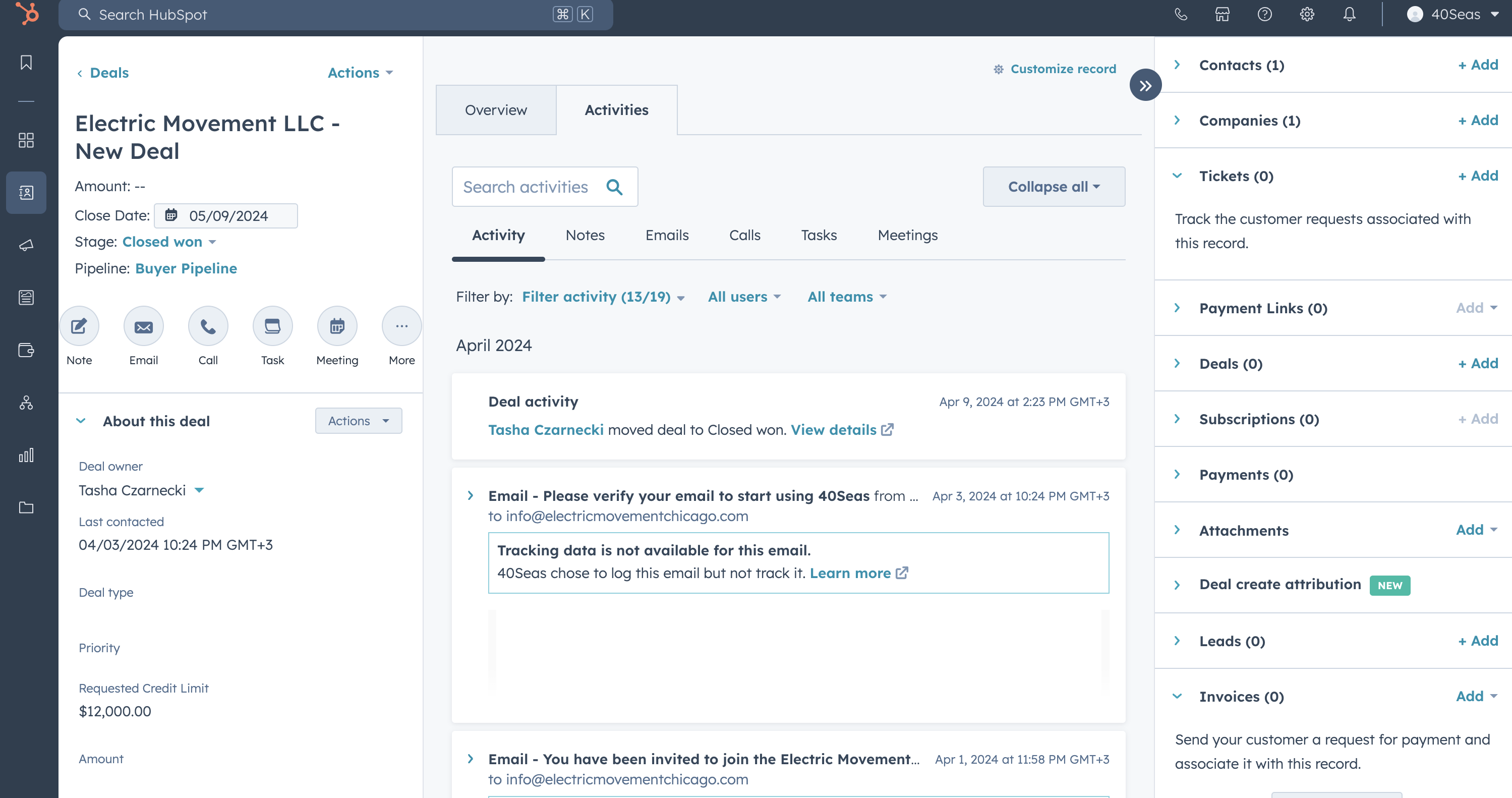
To create a customer success request please create a ticket on Hubspot. To create a ticket, simply go to the buyer's contact page or business page and select 'Tickets +' on the right hand menu, under 'Company'
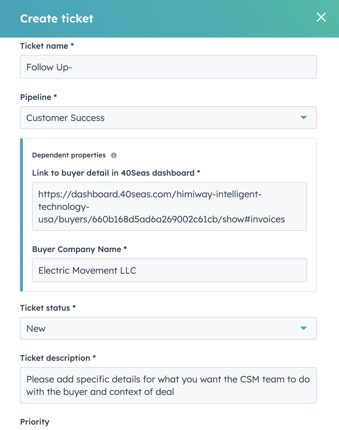
Fill out the form with the required information
Please Note:
- The buyer company name will already populate the title, so no need to add it
- Please add details of what you want the CSM team to do, and provide context for deal with buyer
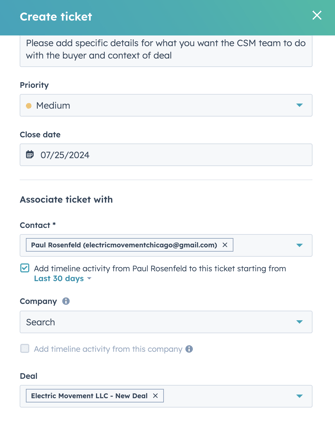
- Close date- rough timeline of when the task needs to be done by (if time sensitive, if not then just set as today's date)
- Contact is a mandatory field, if the customer does not have a contact profile on Hubspot please create one for them then add the ticket.
You can track the status of your ticket by going into Hubspot> Tickets> Customer Success